VSCode插件之PicGo
AI摘要:VSCode的PicGo插件是一款图片上传工具,支持多种图床(微博、七牛、腾讯云COS等)。它提供三种上传方式:从剪贴板上传、从文件夹上传和通过输入名称上传,并配有快捷键操作,方便开发者在写作时快速插入图片。
PicGo 是基于 Electron 的图片上传工具。
目前 PicGo 目前支持了:
- 微博图床
- 七牛图床
- 腾讯云COS
- 又拍云
- GitHub
- SM.MS
- 阿里云OSS
- Imgur
下载地址:https://github.com/Molunerfinn/PicGo/releases

- PicGo
- Owner:Molunerfinn
- Watch:27330
- Star:27330
- Fork:2333
- :rocket: The Ultimate Image Uploader for Efficient Creators. Supports Obsidian, Typora, VS Code etc. and 60+ image hosting services (S3, GitHub, Cloudflare R2, Imgur, Aliyun OSS...). Paste, upload, done.
这篇文章重点说的不是 PicGo,而是说的基于VSCode的插件:

- vs-picgo
- Owner:PicGo
- Watch:414
- Star:414
- Fork:60
- A VSCode plugin of PicGo
此插件支持:
从剪贴板上传图片到图床
Windows/Unix:Ctrl + Alt + u
OsX:Cmd + Opt + u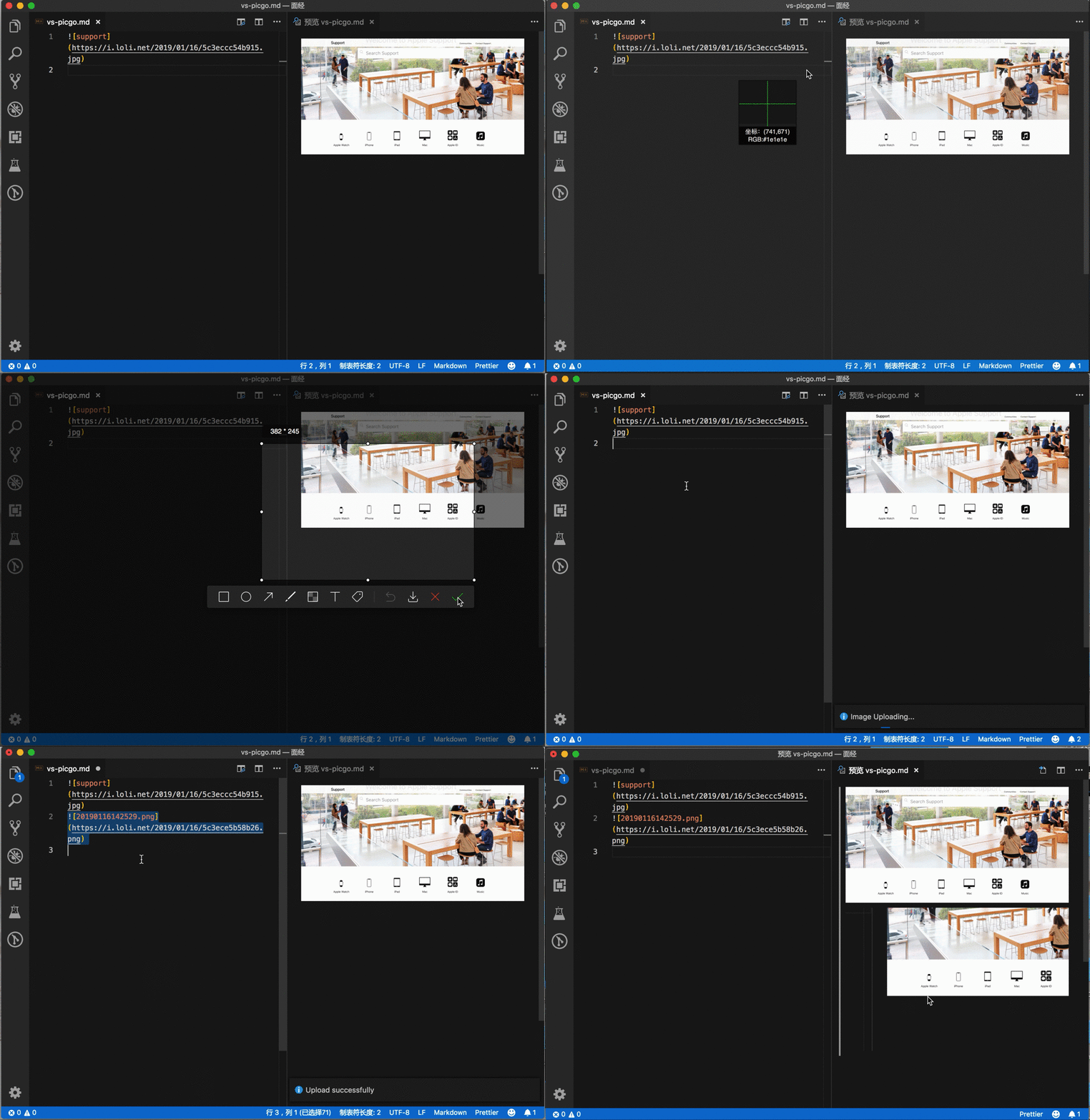
从文件夹上传图片到图床
Windows/Unix:Ctrl + Alt + e
OsX:Cmd + Opt + e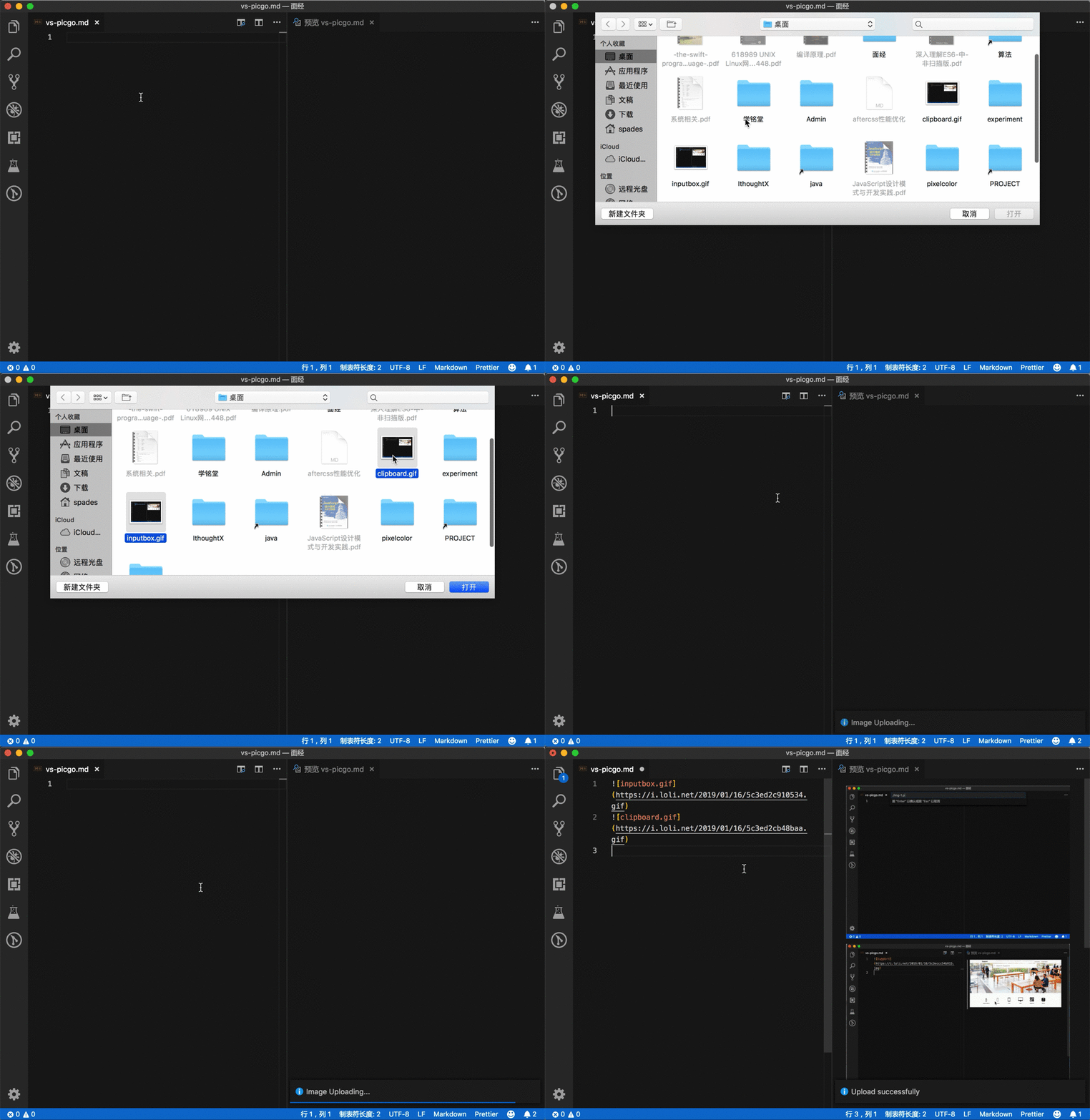
从输入框中输入图片名称上传到图床
Windows/Unix:Ctrl + Alt + o
OsX:Cmd + Opt + 0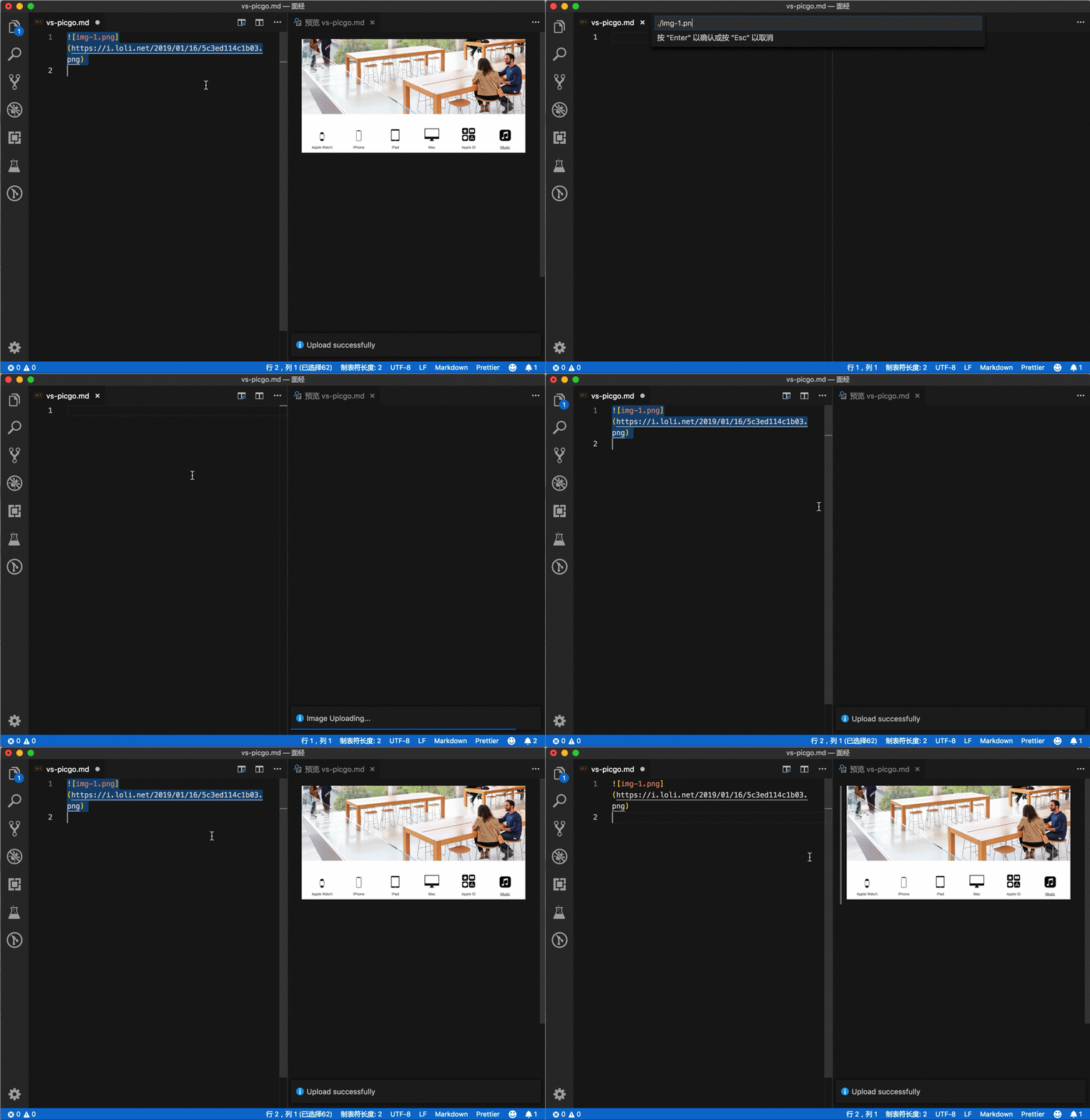
除单独说明外,文章默认采用知识共享署名-相同方式共享 4.0 国际许可协议进行许可。

本文超过7年没有更新,今后内容也许不会被维护或者支持,部分内容可能具有时效性,涉及技术细节或者软件使用方面,本文不保证相应的技术更新和实践可操作性。
